 AntiDetect Rank
Glossary · Profiles & sessions
Browser profile
A separate set of browser data — cookies, history, settings, extensions — kept apart from other profiles.
Definition
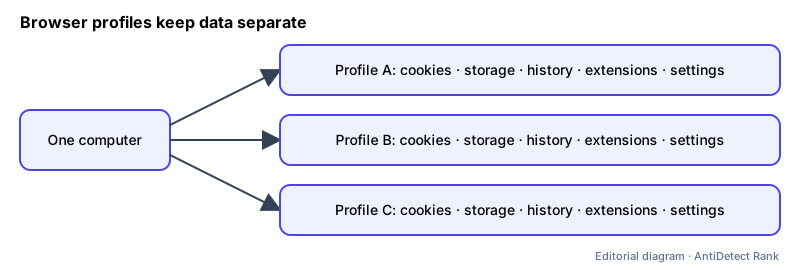
A browser profile is a self-contained store of a browser's user data: cookies and site storage, history, bookmarks, saved settings and extensions. Mainstream browsers such as Chrome and Firefox support multiple profiles so different people or roles can keep their browsing separate on one computer. Antidetect browsers extend the idea by also giving each profile its own fingerprint settings and proxy.
How it works
- Each profile has its own data directory, so cookies and logins in one profile are not visible to another.
- In Chrome or Firefox, profiles share the same device fingerprint (same fonts, GPU, screen) — they separate data, not hardware signals.
- Antidetect browsers attach a configurable fingerprint and network settings to each profile, and often let teams share profiles without sharing passwords.
Why it matters
- Keeping work, personal and client accounts in separate profiles avoids accidental cross-logins and cookie mixing.
- For agencies and QA teams, profile-level separation is the basic unit for organising many accounts.
Limits and common misconceptions
- "A new Chrome profile looks like a new device." It has fresh cookies, but the same hardware and network signals.
- "Profiles guarantee accounts won't be linked." Platforms can also link accounts through IP addresses, behaviour, payment details and their own rules.
Example: A marketer keeps one profile per client, each with that client's logins, extensions and bookmarks, so switching clients never leaks a cookie from one account to another.
No browser or proxy can guarantee that accounts will not be restricted. Follow each platform's rules.
Related terms
- Browser fingerprint — A combination of browser and device characteristics that can identify a browser without cookies.
- Sticky session (proxy) — A proxy setting that keeps the same exit IP across consecutive requests for a period of time.
- Residential proxy — A proxy whose exit IP belongs to a consumer internet connection rather than a datacenter.
Related guides
Sources
- Google Chrome Help: Chrome profiles (browser docs)
- Mozilla Support: Profile Manager (browser docs)
Checked 2026-11-07.